Syspro Platform Manager and Syspro Insights
If your organization has transitioned to the Syspro subscription model, you have access to more than just the ERP software. Syspro Platform Manager and Syspro Insights provide additional visibility into your Syspro environment, helping you understand license usage, monitor system health and support better planning. Keep reading to learn more about these tools, including what they do, how they compare and what to expect when installing them.
What is Syspro Platform Manager?
Syspro Platform Manager provides a direct connection between Syspro and your subscription environment. Once installed, it runs as a background service on your Syspro application server and requires no day-to-day management. This information can help organizations better understand how their Syspro environment is being used and validate their license and API consumption. Platform Manager is also a requirement for Syspro subscription customers.
One of its key functions is providing visibility into:
Named user license usage
Business Object and API token consumption
Subscription license utilization
What is Syspro Insights?
While Platform Manager focuses primarily on license and usage information, Syspro Insights provides a broader view of your technical environment. It is designed to provide additional visibility for support, troubleshooting, configuration, and infrastructure planning. For example, Insights can help identify trends in server resource usage and provide information about SQL Server health, system checks, Syspro usage, operators, transactions, and Business Object calls. This can be particularly useful when you're trying to determine whether an issue is related to Syspro itself, the underlying infrastructure, or available system resources. Syspro Insights monitors areas including:
Hardware
Operating system
SQL Server
Syspro Platform
Compliance and governance
Platform Manager vs. Syspro Insights
While the two tools work together, they serve different purposes. Syspro Insights can be installed separately after Platform Manager, although installing both at the same time may make sense for organizations seeking maximum visibility into their environment.
Capability | Platform Manager | Syspro Insights |
|---|---|---|
Subscription requirement | Required | Optional |
Named user license tracking | ✓ | |
Token / API consumption | ✓ | |
Platform health monitoring | ✓ | |
Recommendations engine | ✓ | |
Shared support view | License data only | ✓ |
Installation: What to Expect
The good news is that both tools are relatively lightweight and straightforward to deploy. Platform Manager is installed on the Syspro application server and can be installed through the Syspro 8 Installer or independently through the Syspro Customer Portal. The installation does not require downtime or exclusive access, and updates are installed automatically. Syspro Insights can be installed in different locations within your environment, depending on what you want to monitor.
Don't Overlook the Syspro Customer Portal
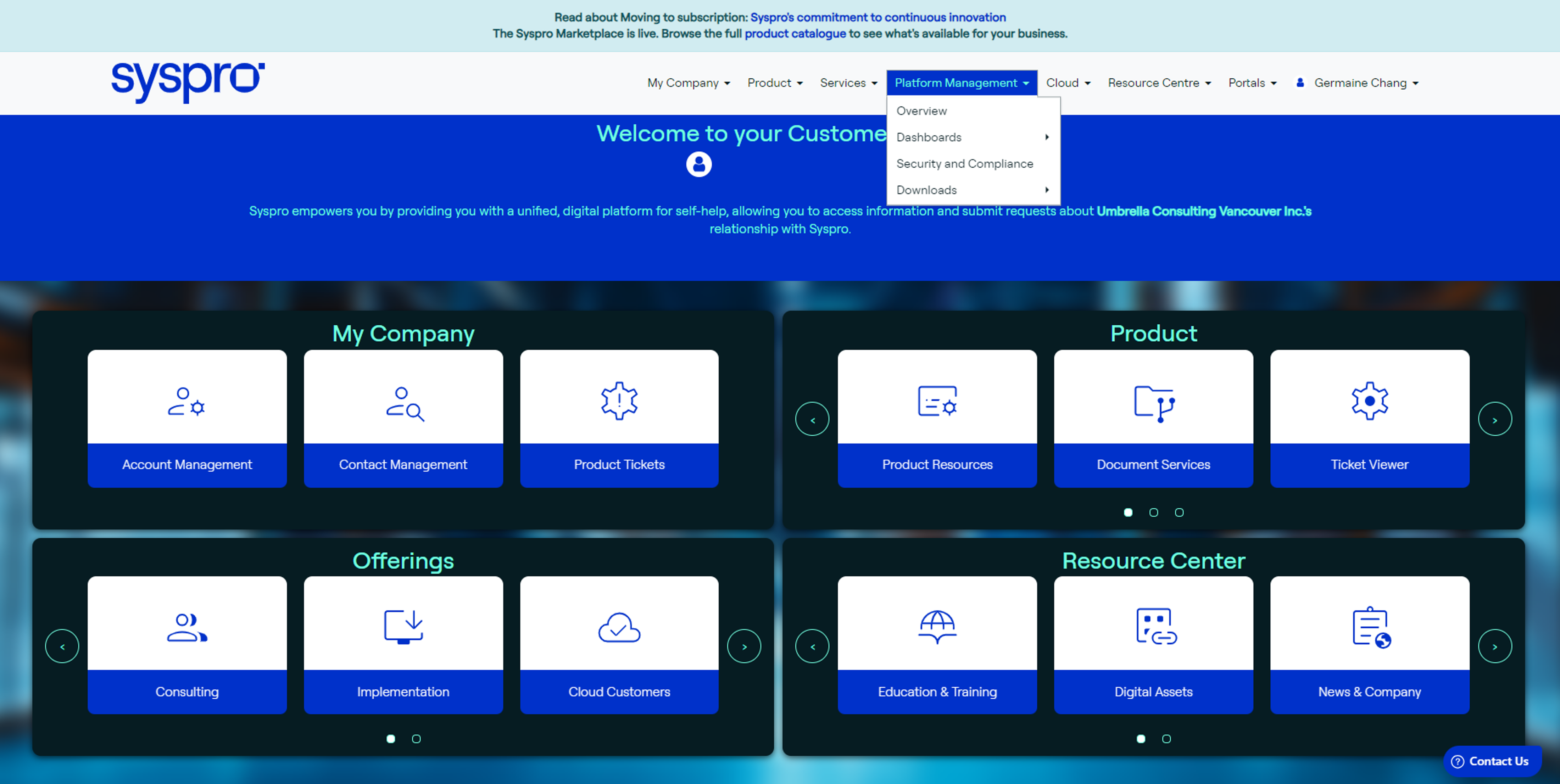
The Syspro Customer Portal is the starting point for accessing these tools and provides much more than just downloads. Customers can use the portal to access Platform Manager and Insights, technical resources, Business Object information, training resources, support, community forums, and other Syspro resources. If you haven't explored the Customer Portal recently, it's worth taking a look. There may be resources available to you that you're not currently using.
Getting More From Your Syspro Subscription
Platform Manager and Syspro Insights are two examples of the additional capabilities available to Syspro subscription customers. Together, they provide greater visibility into how your system is used and how your technical environment performs. For Syspro customers, understanding and using these tools can make it easier to monitor your environment, plan for infrastructure needs, troubleshoot issues and get more value from your ERP investment.
Need help getting started? Umbrella Consulting can assist with installing Platform Manager and Syspro Insights and help you understand the information available within these tools.
About the Author
Umbrella Consulting
Umbrella Consulting's multi-disciplinary team comprises finance and manufacturing specialists, technology experts, and business process practitioners. Great Consultants. Great Outcomes. By Design.